
Unique calendar for managing sales activitiesRecorded activities are more than just notes. FreshFlow intelligently processes activities for further use in your business

A calendar that creates relationship history and statistical overviews
The FreshFlow shared calendar is not just a space for planning. It is an innovative tool for managing activities – business, team, and individual.
Each planned activity is automatically saved to a specific contact, included in statistics, and becomes part of the overview of team results and activities.
Managers have a direct and up-to-date overview of team activities, their results, and what has been agreed with whom. Those who actually carry out the deals gain a high-quality history of client relationships and a refined client record for smart contact management.
Business results depend on business activity
Whoever has an overview of activities in FreshFlow has an overview of performance.
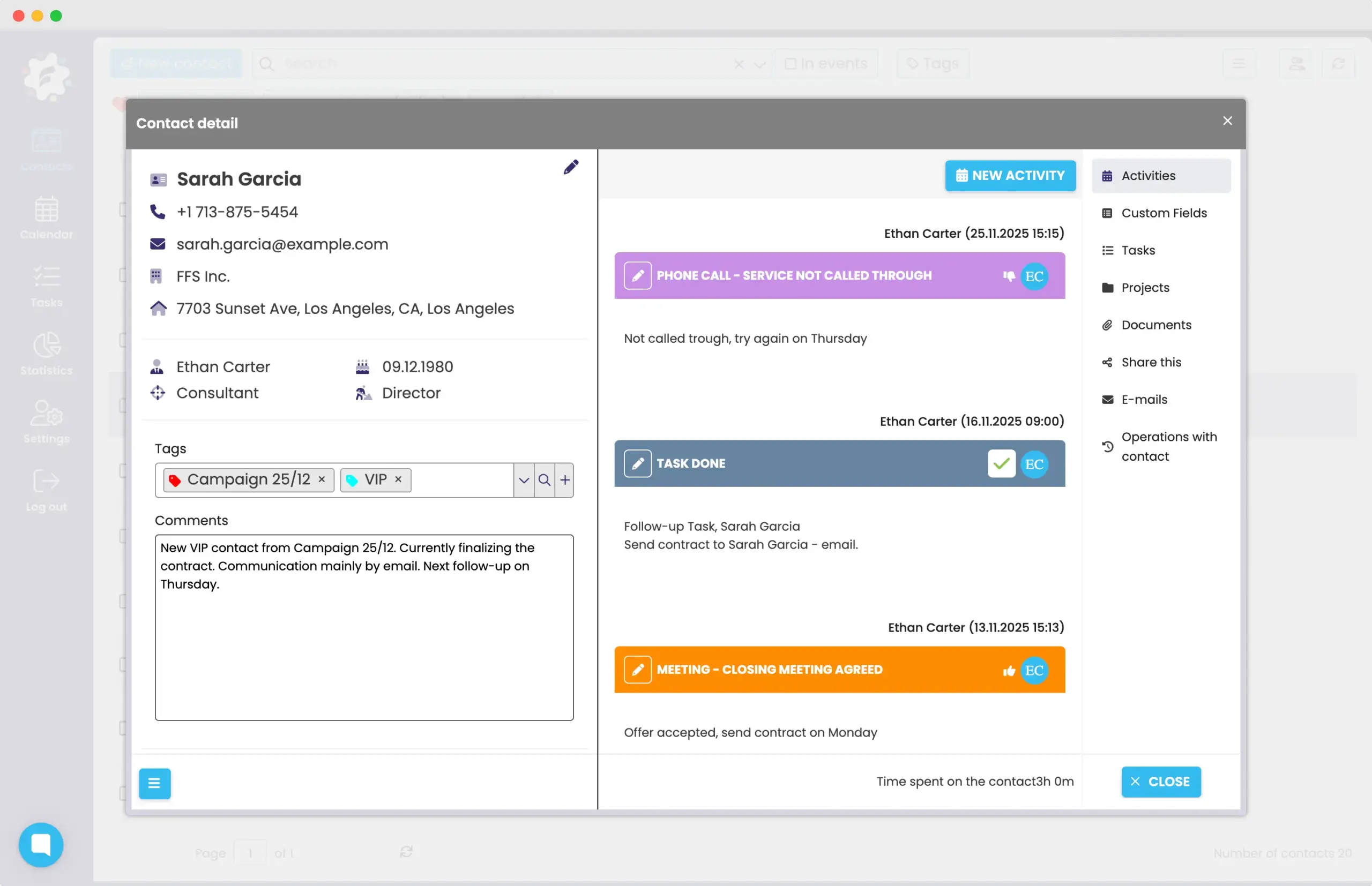
Entering an activity into the calendar = a record in the contact history
FreshFlow automatically connects recorded activities directly with specific contacts.
Each contact has their own card, which creates a history of all meetings, calls, notes, tasks and results.
Thanks to this, you always see what has already happened with the client, how it turned out, what has been agreed, and what follows.
From this data, a high-quality client database is created, in which it is possible to filter, search, or tag clients in many ways for quick segmentation.
A calendar that creates statistical data for activity management
The FreshFlow calendar is not just about planning – each entered activity is automatically recorded to the contact and is also included in the statistics. Thanks to this, you get an overview of the number of meetings, calls or other activities and their specific results – without any extra work.
In the FreshFlow calendar, you work with your circle of defined regular activities and their results. The system automatically sorts and evaluates them – both for the entire team and for individuals, and for any selected period. In addition, you can export specific statistics to Excel.
The result is a complete performance overview – immediately, without retrospective calculation or searching. Managers thus have direct and “live” data for management and traders have peace of mind from administration, as the system extracts data directly from their calendars.
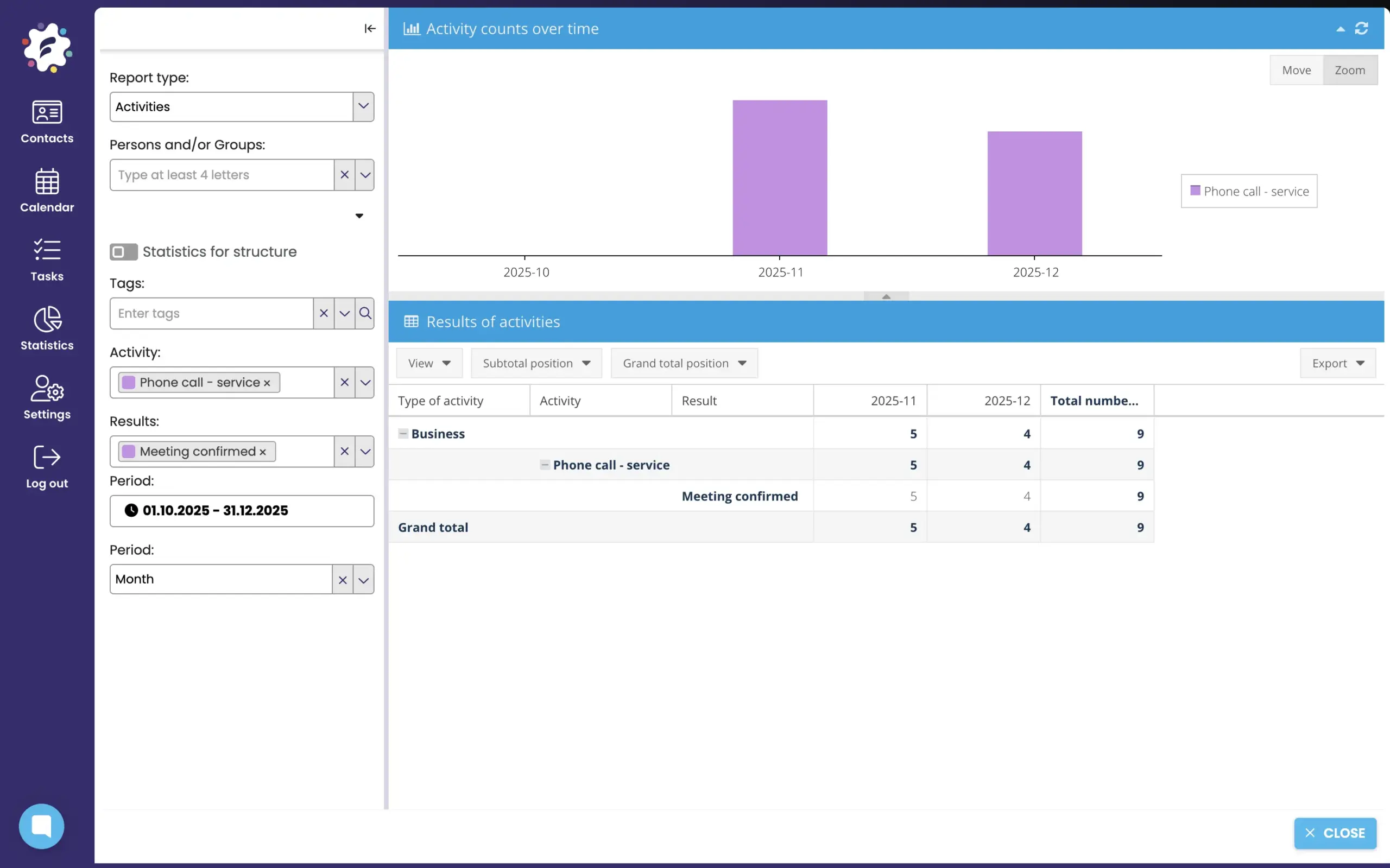
Statistics of specific activities
you have the option to view data on the number of activities, both in numerical and graphical form.
Statistics of activity results
you have the option to analyze specific results of specific activities, their absolute numbers and development.
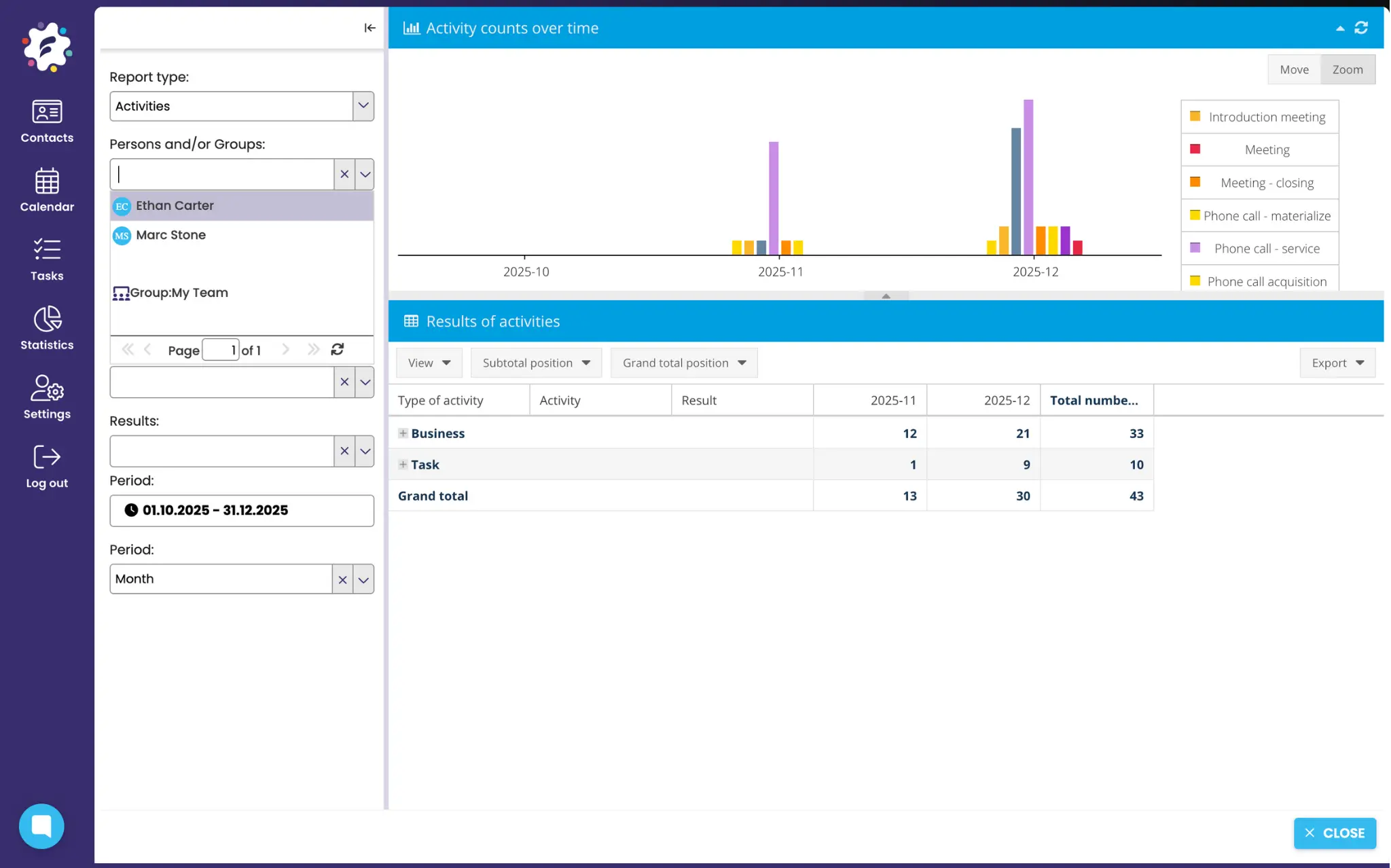
Statistics of specific people
you have the option to analyze the performance and results of specific individuals or groups of people.
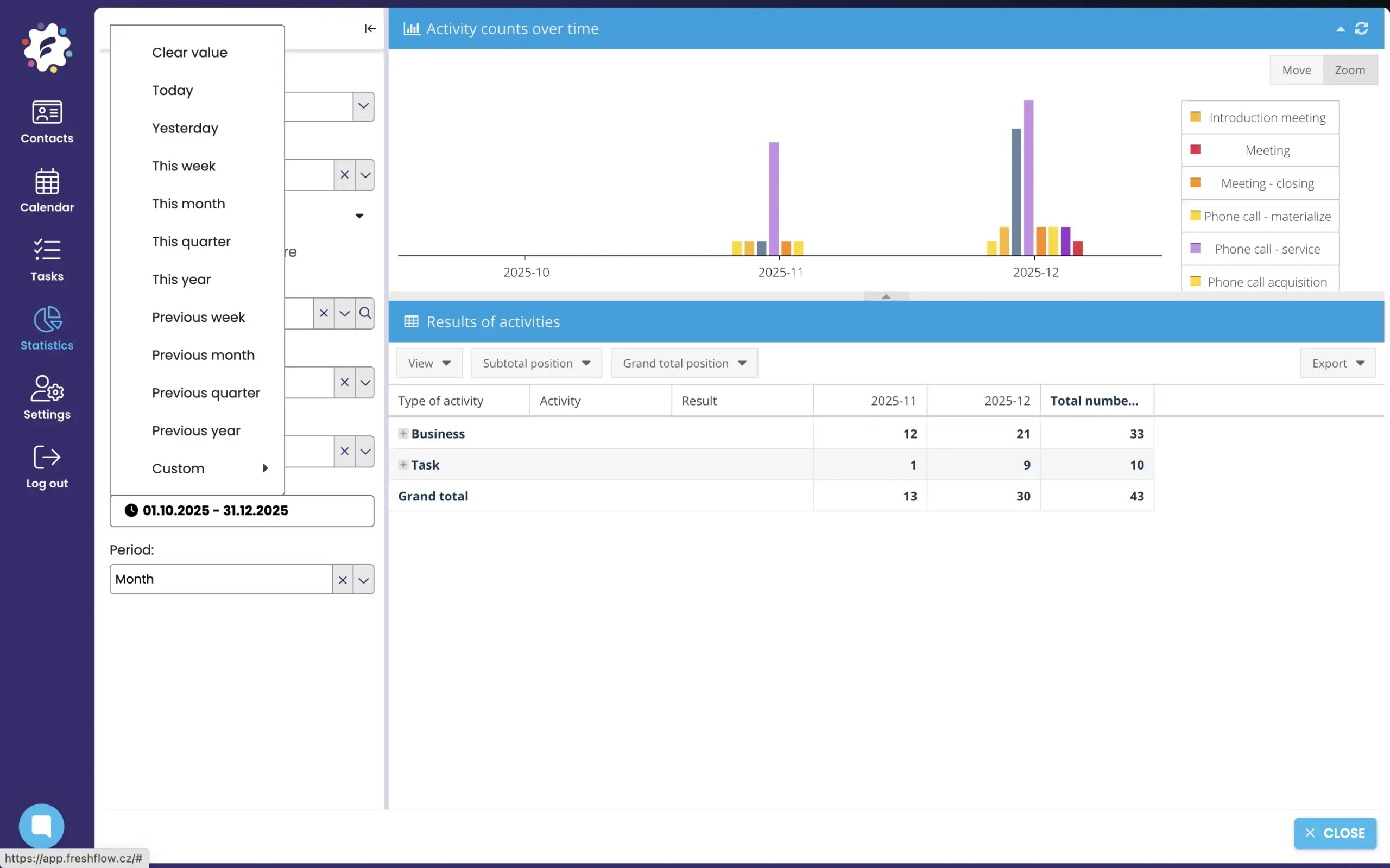
Statistics for any period

Smart planning of next steps – follow-up activities
In the daily rush, it’s easy to forget the next step that could move the deal forward.
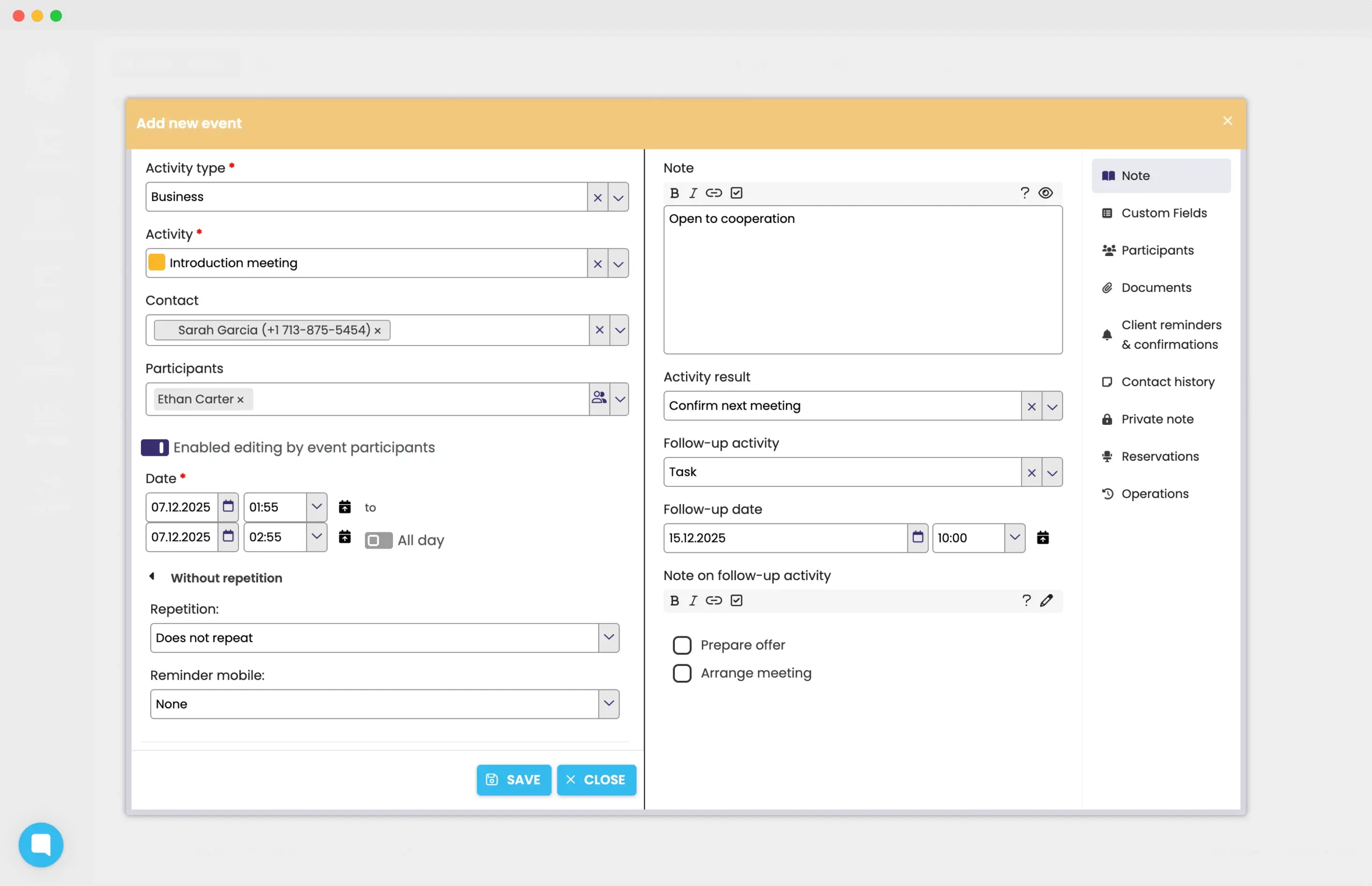
FreshFlow allows you to plan follow-up activities for activities and reminds you what needs to be done – whether it’s a follow-up phone call, another meeting, or a task. Everything is written to the shared calendar as well as to the contact card (or even to tasks).
Reminders and confirmations to clients
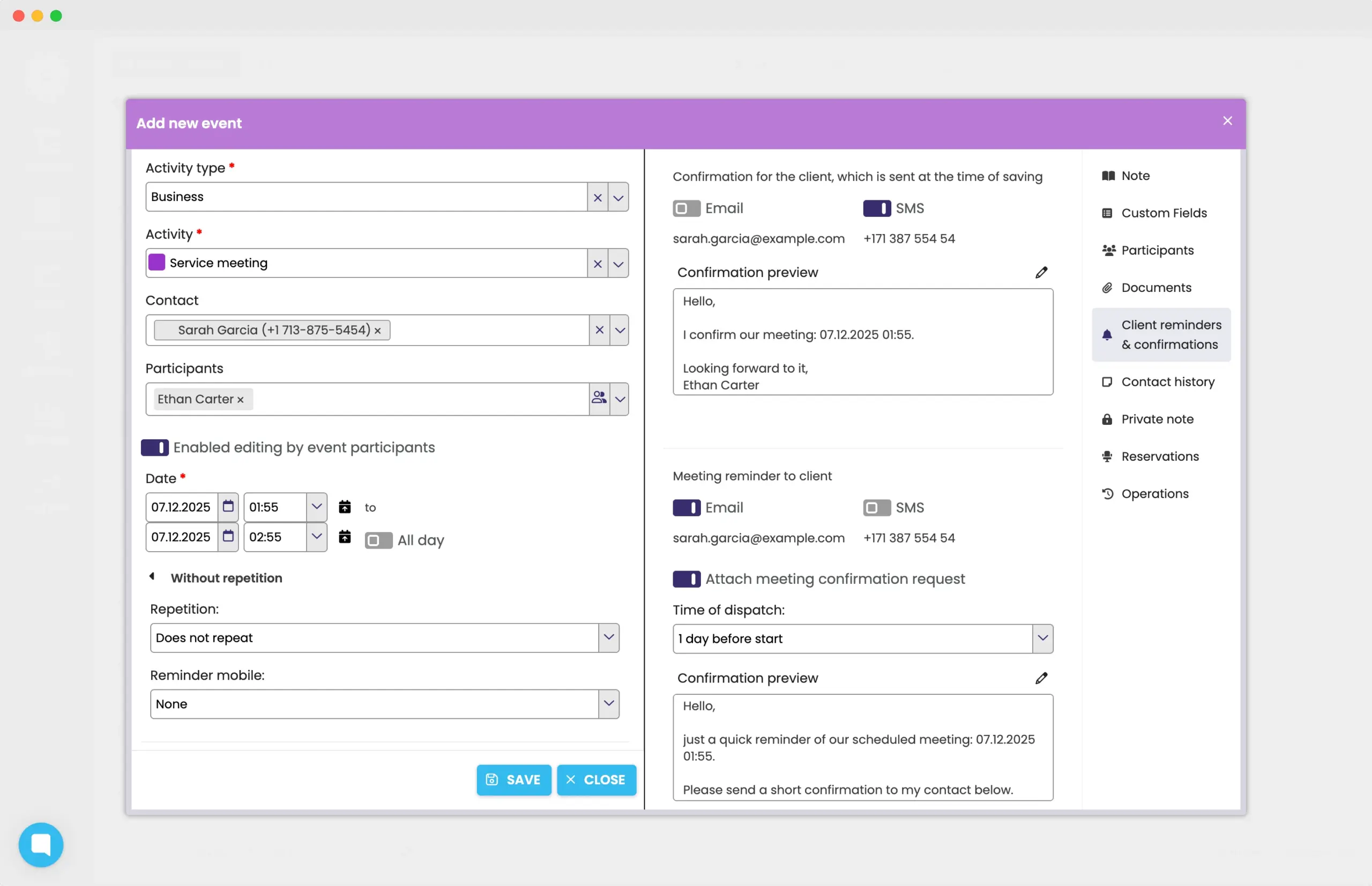
Directly in the FreshFlow calendar, you can send automatic confirmations or reminders of activities to your clients and colleagues.
You can send the confirmation or reminder by email or SMS and with your own text.
Invitations and joint activities
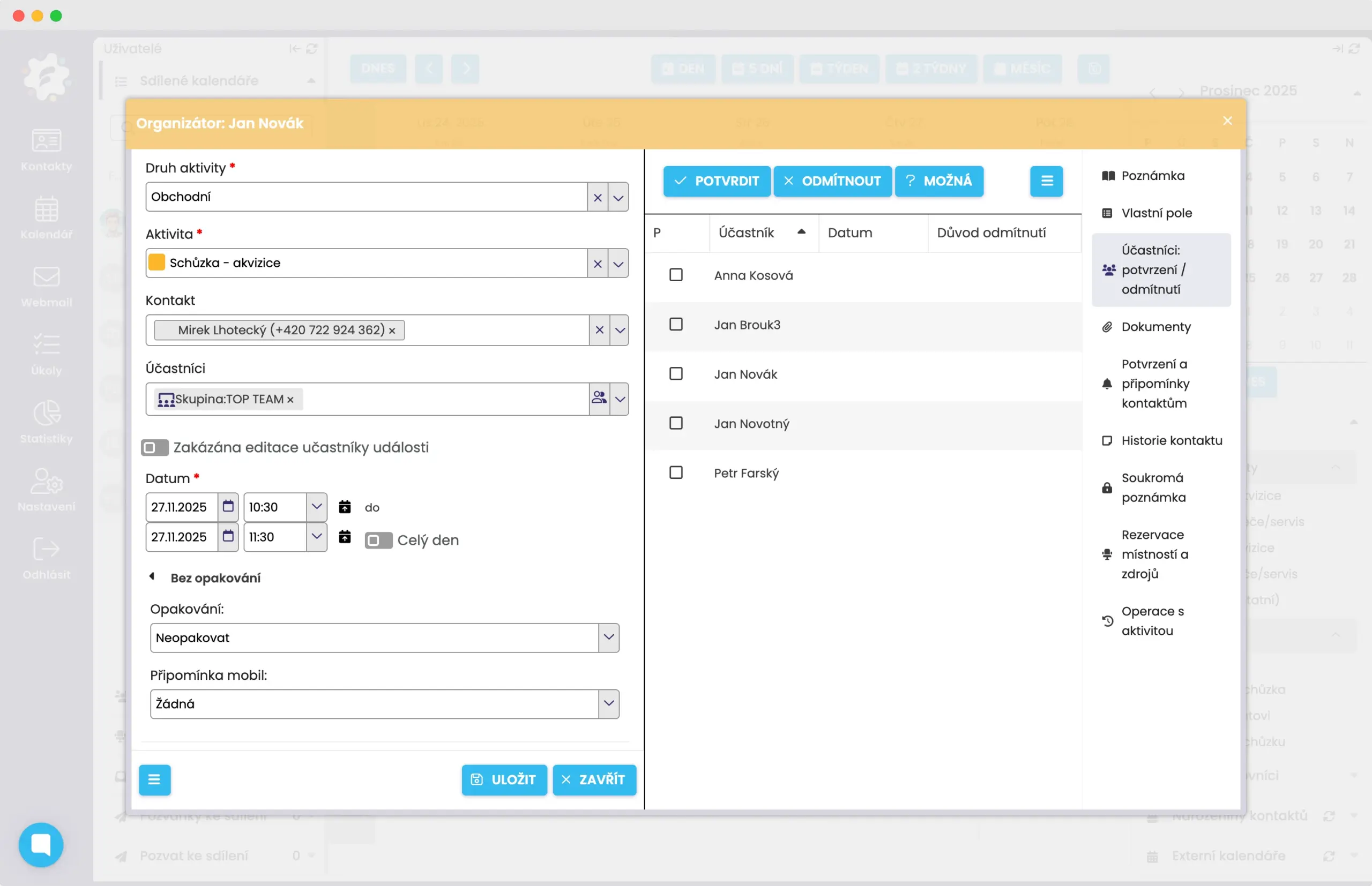
You can effectively communicate about a given activity together, for example, with invitations, notes, checklists, or attached documents.
The joint activity is automatically written to the statistics of the given users. You can also set up regular and recurring activities, such as meetings, with your colleagues. You can predefine groups within the participants.
Clear booking of rooms and shared resources
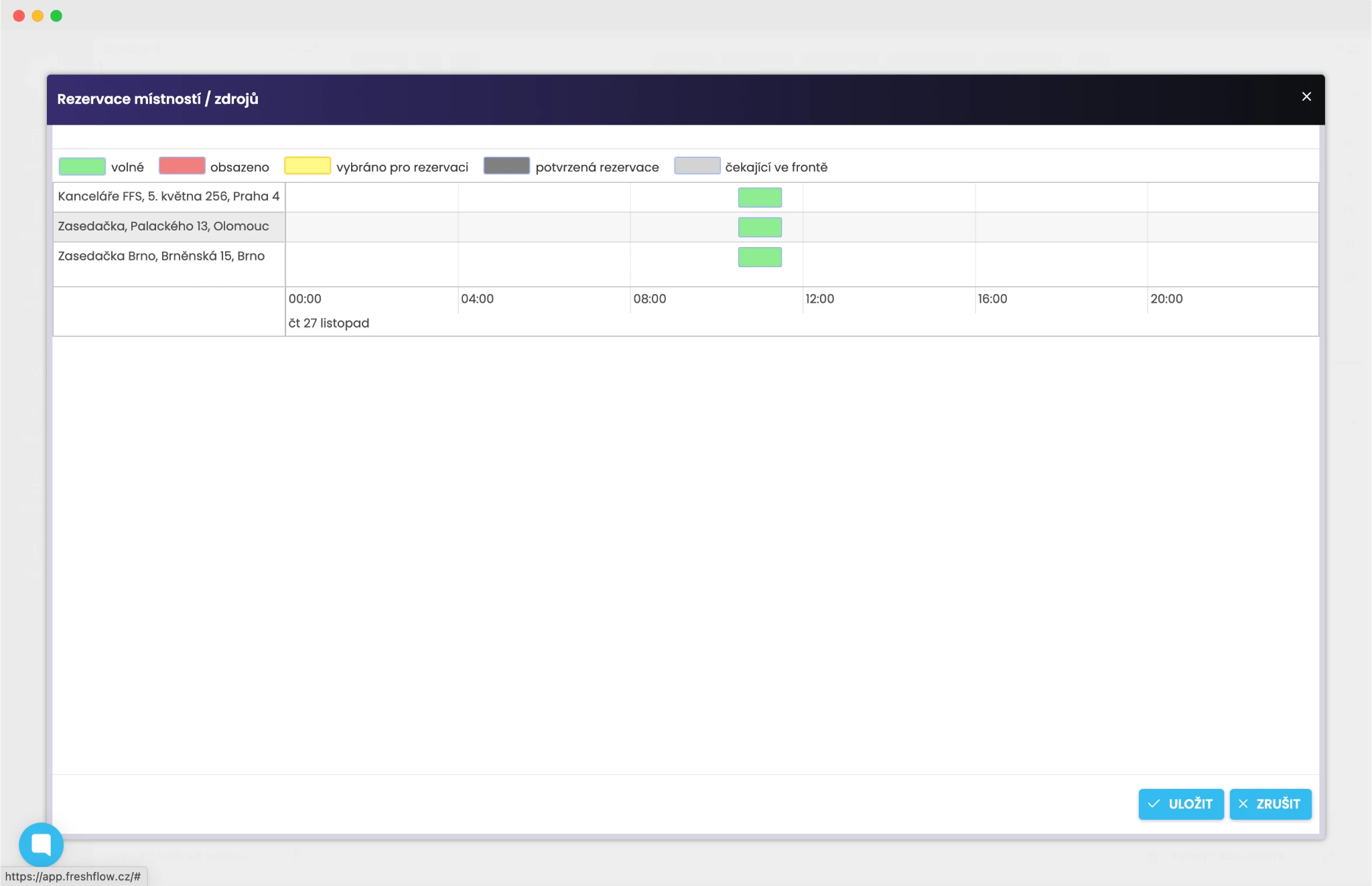
Do you share meeting rooms, cars, projectors, roll-ups, or other equipment, such as technology or furniture?
Book everything you need in a separate calendar or block by adding specific resources to your event.
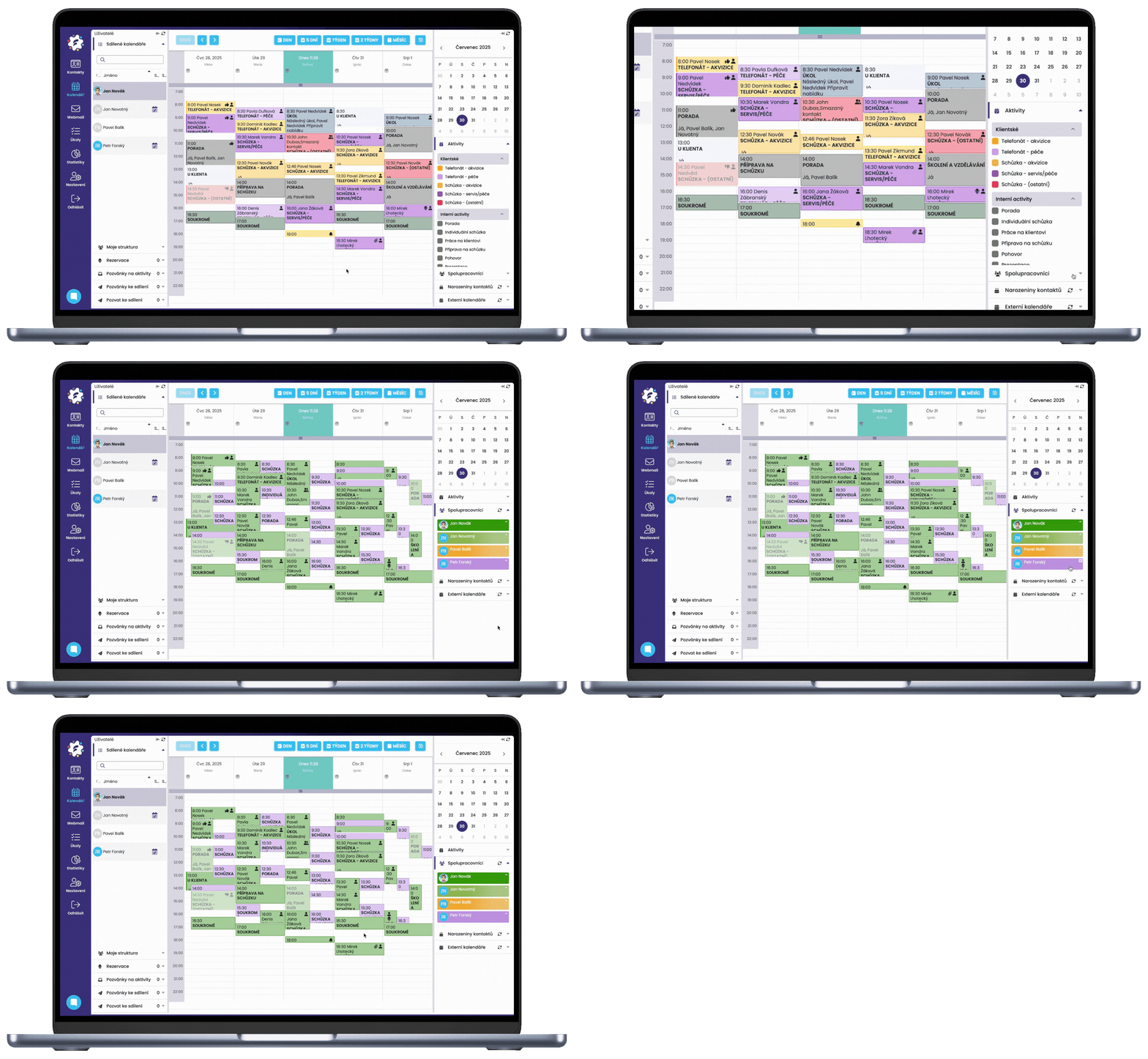
Displaying activity overlaps
Need to quickly find out when your colleagues are free? Thanks to FreshFlow, you can quickly view several calendars at once (on one base/place) and find the necessary “gap” for your meeting.
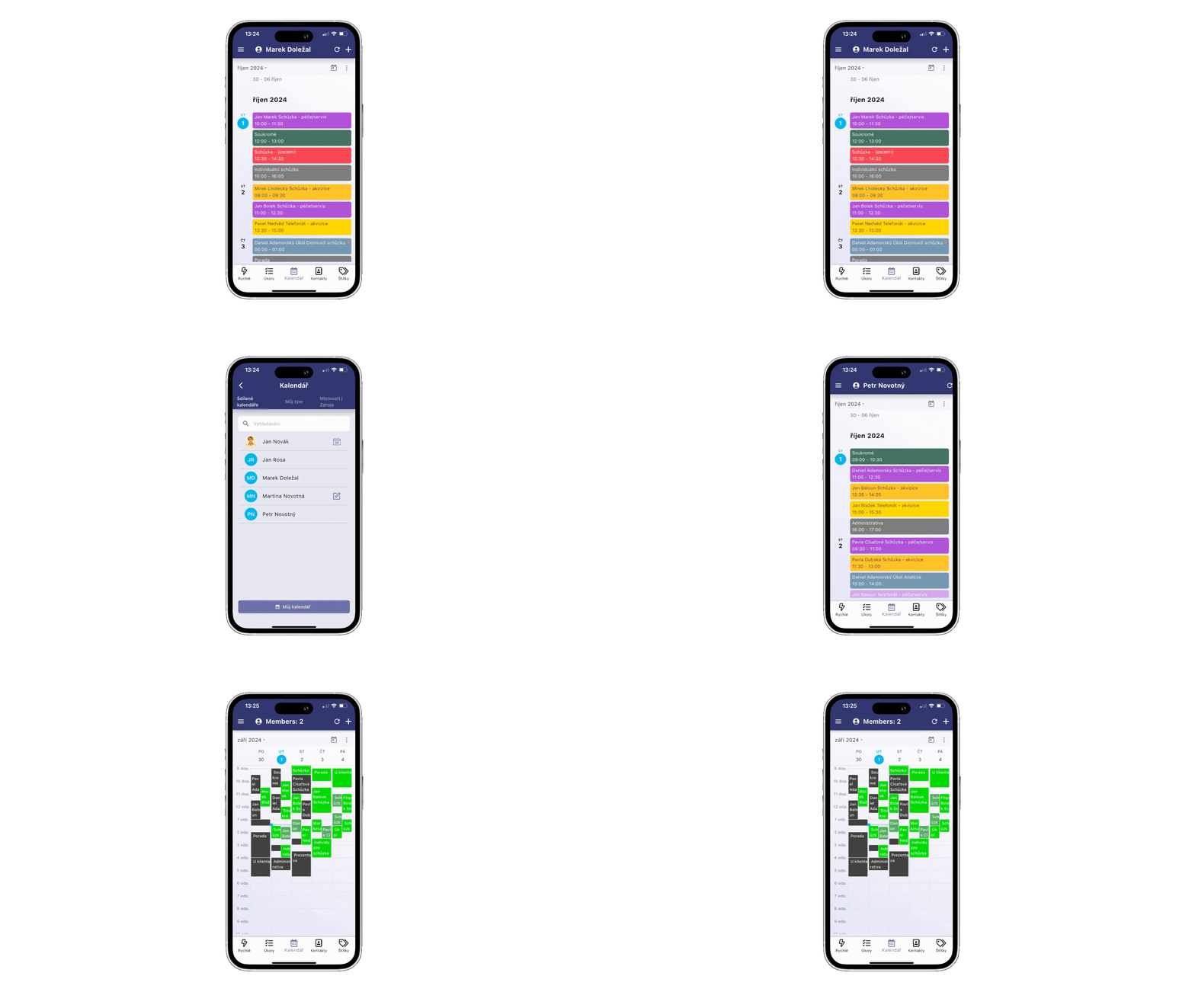
Also available in the mobile app
Calendar, planned activities, client relationship history, overlaps, and reservations, and many other handy features can also be found in the smart FreshFlow mobile app, which is free to download from the App Store or Google Play!


Possibility to connect with Google Calendar and Outlook
What do those who know FreshFlow say?
“We actively used FreshFlow in our acquisition campaign, where it proved to be a powerful tool in managing our sales network.”

“The added value of Partners Office (a personalized version of FreshFlow in Partners) in contact management is
huge. Anyone who is serious about building a company and business should take advantage of it. Proper timemanagement is one of the keys to success. As the saying goes, people don’t plan to go broke, they go broke planning.
Partners Office gives me the opportunity to get into the bowels of the company and have control over the effectiveness of my
associates. I consider both of these functionalities to be absolutely essential and I use them very often.”

“We found FreshFlow to be a very effective activity management tool and interactive
feedback across the entire sales team. That is why we decided to implement it across the entire
Tribal business network of Allianz pojišt’ovna, a.s.”

Get started with FreshFlow today!
Free for 30 days
Without entering a credit card


