
Order in client relationships and B2C sales campaign organizationAutomatic building of client relationship history and unique client records – all created directly from activities in the calendar
A tool for keeping client relationships organized
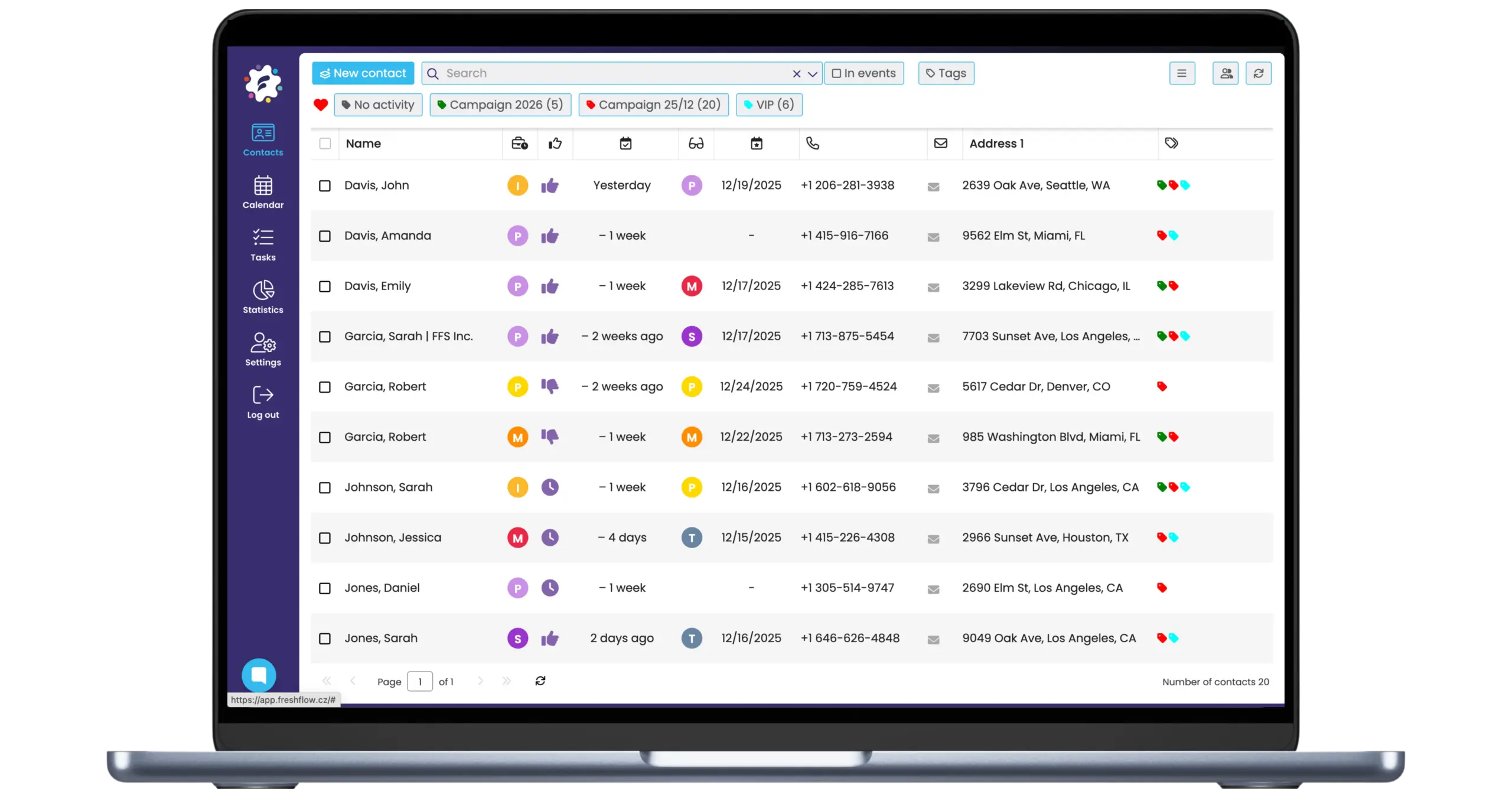
FreshFlow is a “CRM light” solution – it automatically creates a history of client relationships – every meeting, call, note, result, or follow-up activity is linked to a specific contact (in their card).
You always know what was agreed with whom, what followed, and what needs to be addressed next.
Thanks to the created relationship history, you can work with your contacts smartly and intuitively – you can widely filter, search, freely tag contacts, or record emails and documents.
Our solution is also suitable and proven for managing business campaigns (e.g., acquisition or client “care” campaigns).
Strong relationships start with order in the details
With FreshFlow, you have an overview of the entire relationship history and precise records of clients and campaigns
Entry in the calendar. And directly into the contact’s history
In real life, there is often no time to search for old records. FreshFlow automatically records all activities from your calendar – after creating an activity, the tool automatically assigns it to the client’s card.
Whether you are going to a meeting or working on a campaign, you have the entire history recorded in one place – from the first contact, through previous deals and their results, to the current agreed steps, notes, and reminders.
No more complicated searching, everything is ready in a few clicks.
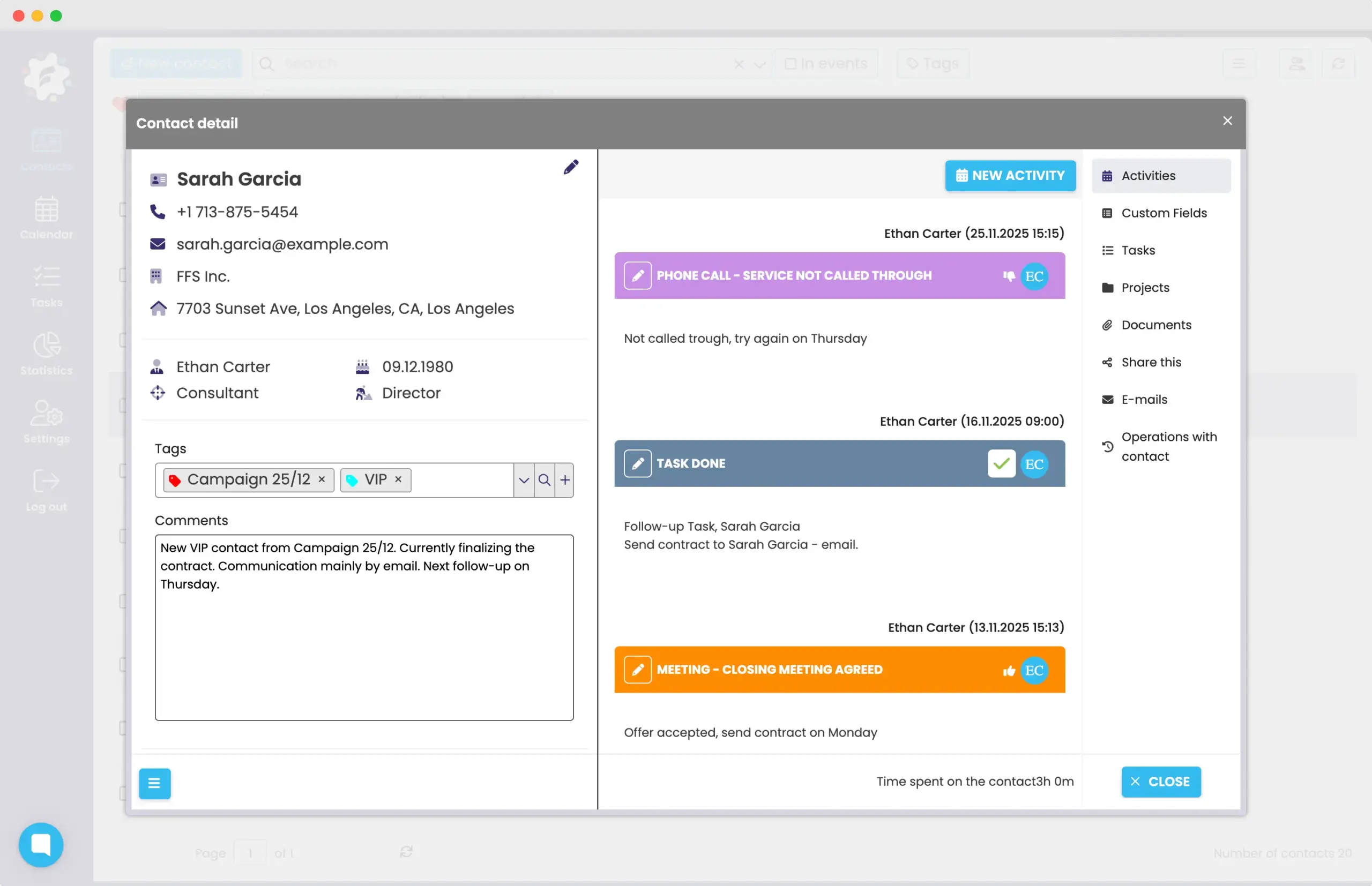
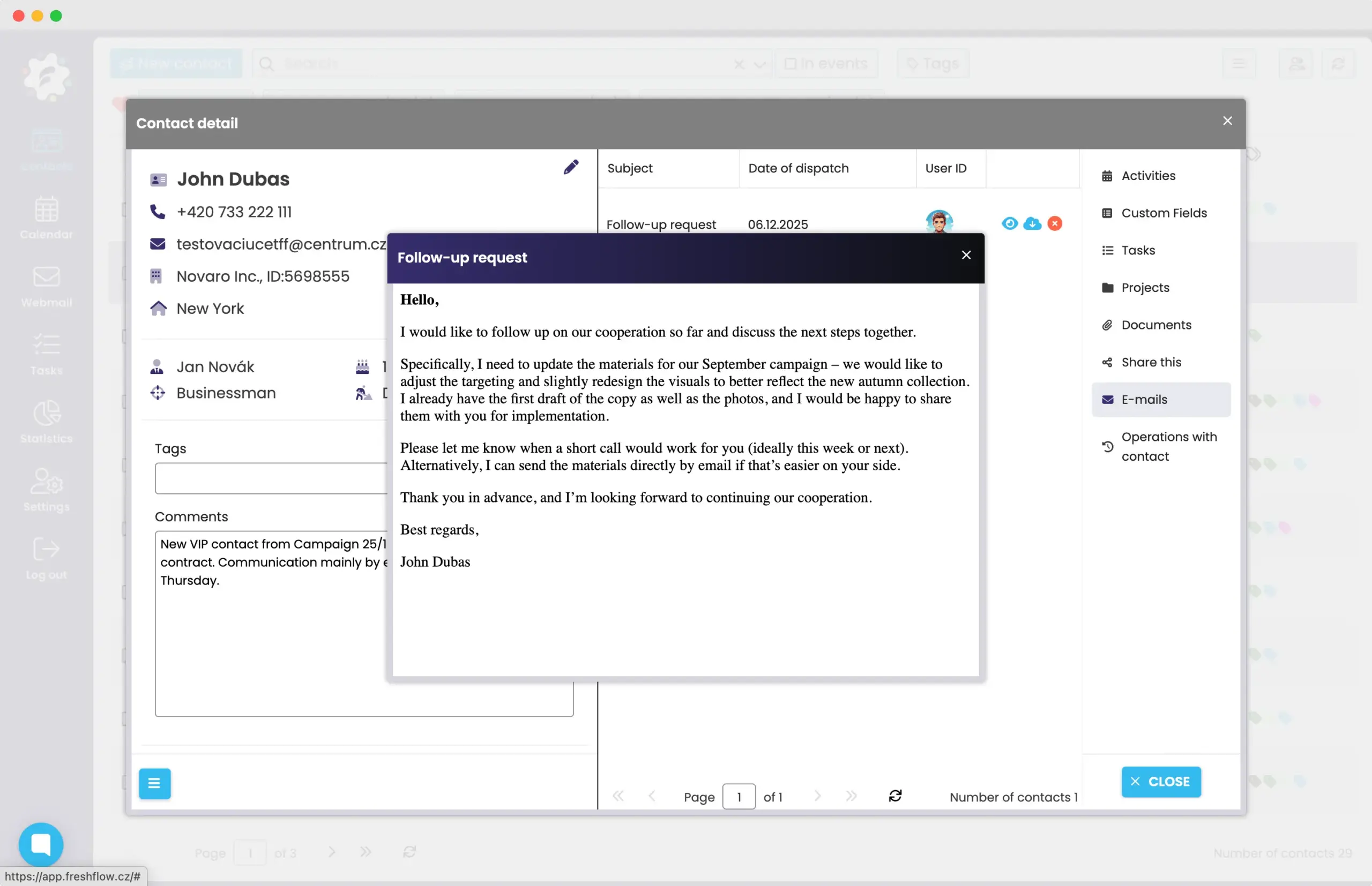
Assigning emails to contacts
FreshFlow allows you to assign emails to contacts (to their card). This gives you not only a unique overview for yourself, but especially for the whole team.
Everyone who works with the client sees what was discussed with them, what the communication was like, and what is being followed up on.
Thanks to this, you will find complete communication in each client’s card – without forwarding, without searching, and without obtaining incomplete information.
Maintain an exceptional overview of clients thanks to filtering
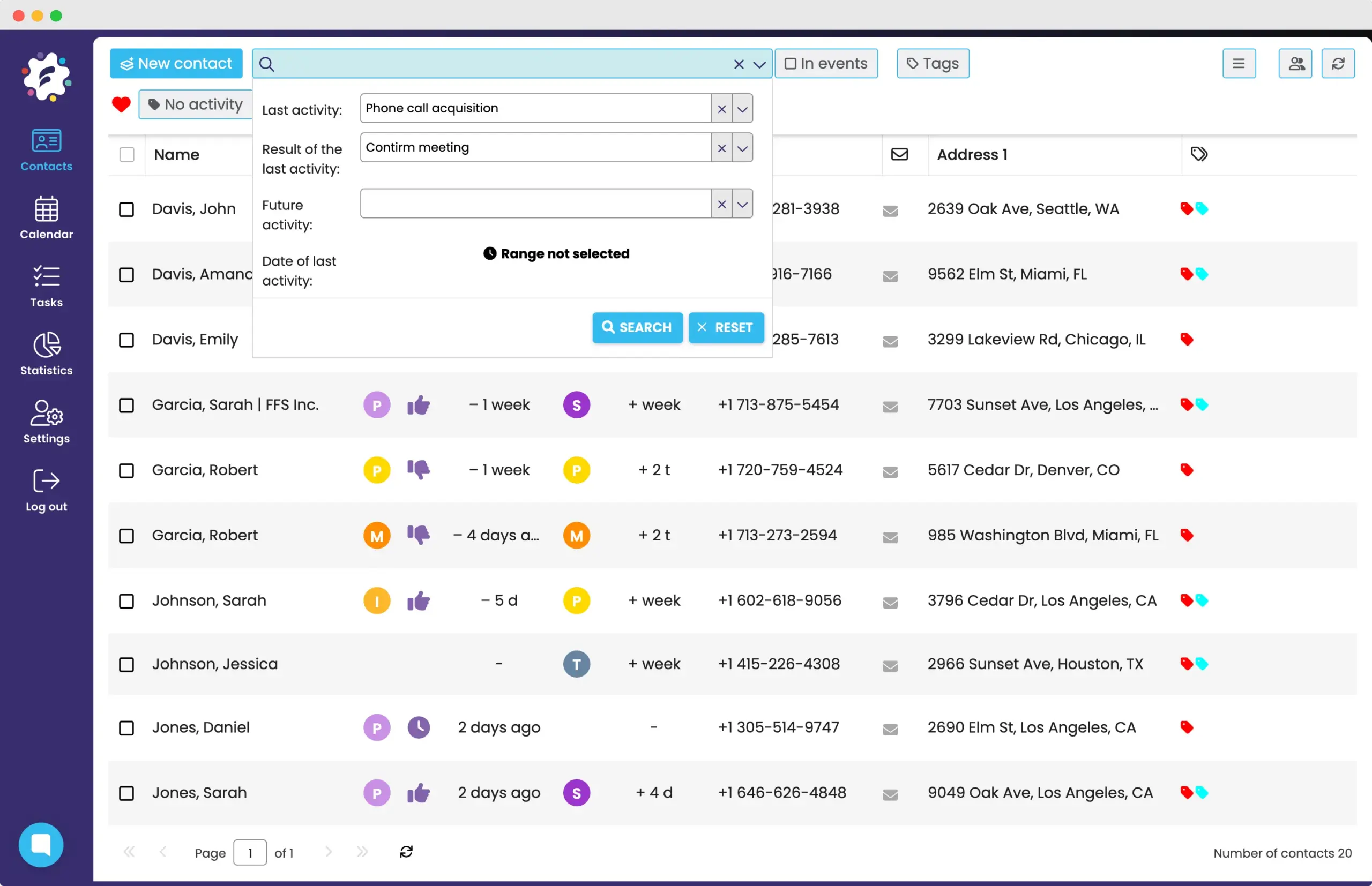
When you work with many contacts, you need to be sure that you don’t unnecessarily lose any clients. FreshFlow allows you to quickly find out which clients you haven’t communicated with for a long time, or who might need a new offer.
Thanks to sorting contacts, for example, according to the last activity, regions, last activity results, or future activities, you will have a complete overview of the right clients in a few clicks.
Smart planning of next steps – follow-up activities
In the daily rush, it’s easy to forget the next step that will move the deal forward.
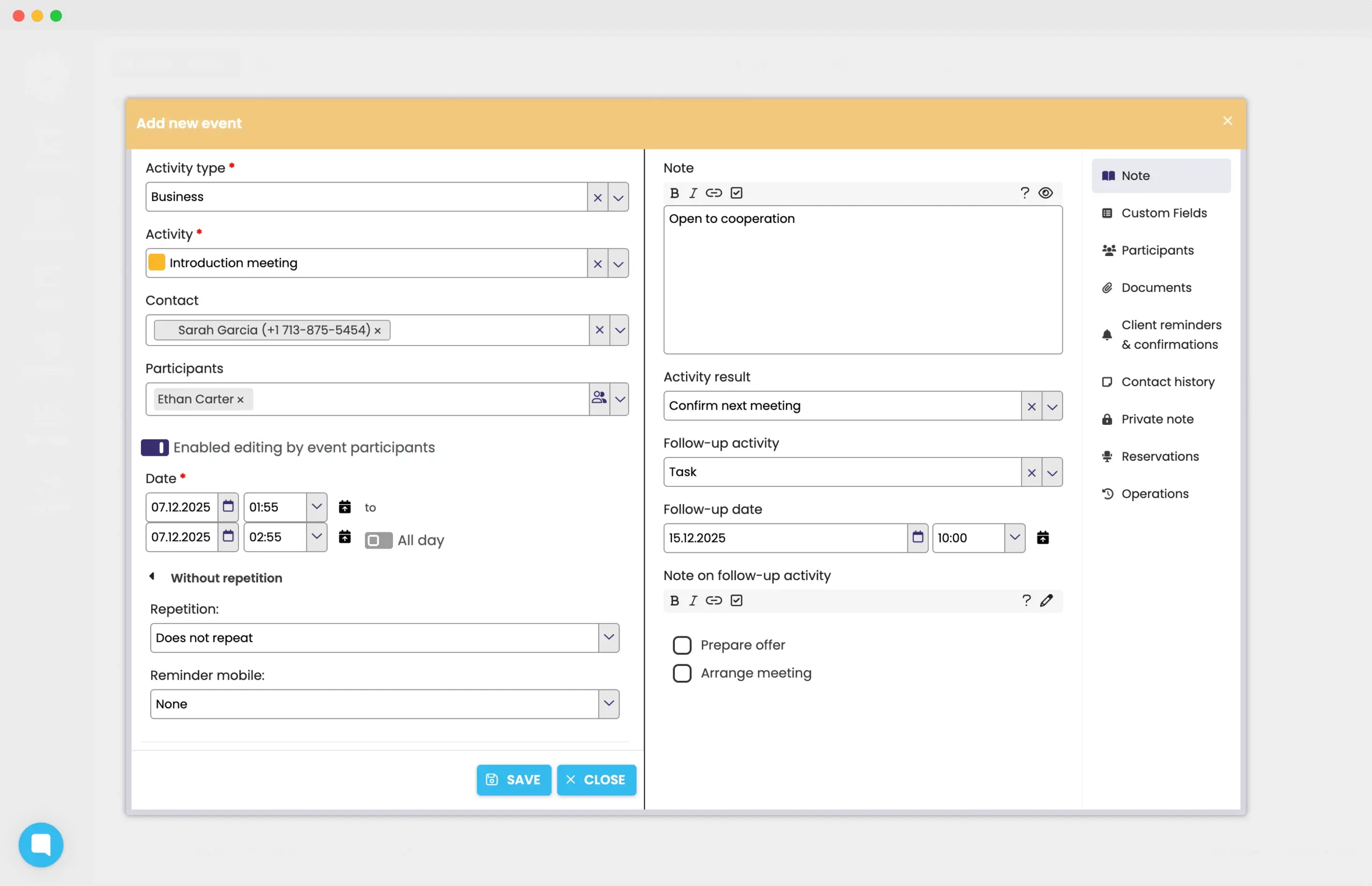
FreshFlow allows you to plan follow-up activities for activities and reminds you what needs to be done – whether it’s a follow-up phone call, another meeting, or a task resulting from the activity.
Everything is directly connected to the previous activity and is written to both the shared calendar and the contact’s card (or to tasks).
Tagging for clever client segmentation
You can freely tag your contacts – i.e. create your own contact segmentations.
Whether you want to segment your clients according to specific campaigns, purchased products, or preferences, tags allow you to quickly filter out the right clients for each step in your campaign process, or in the work itself with your clients.
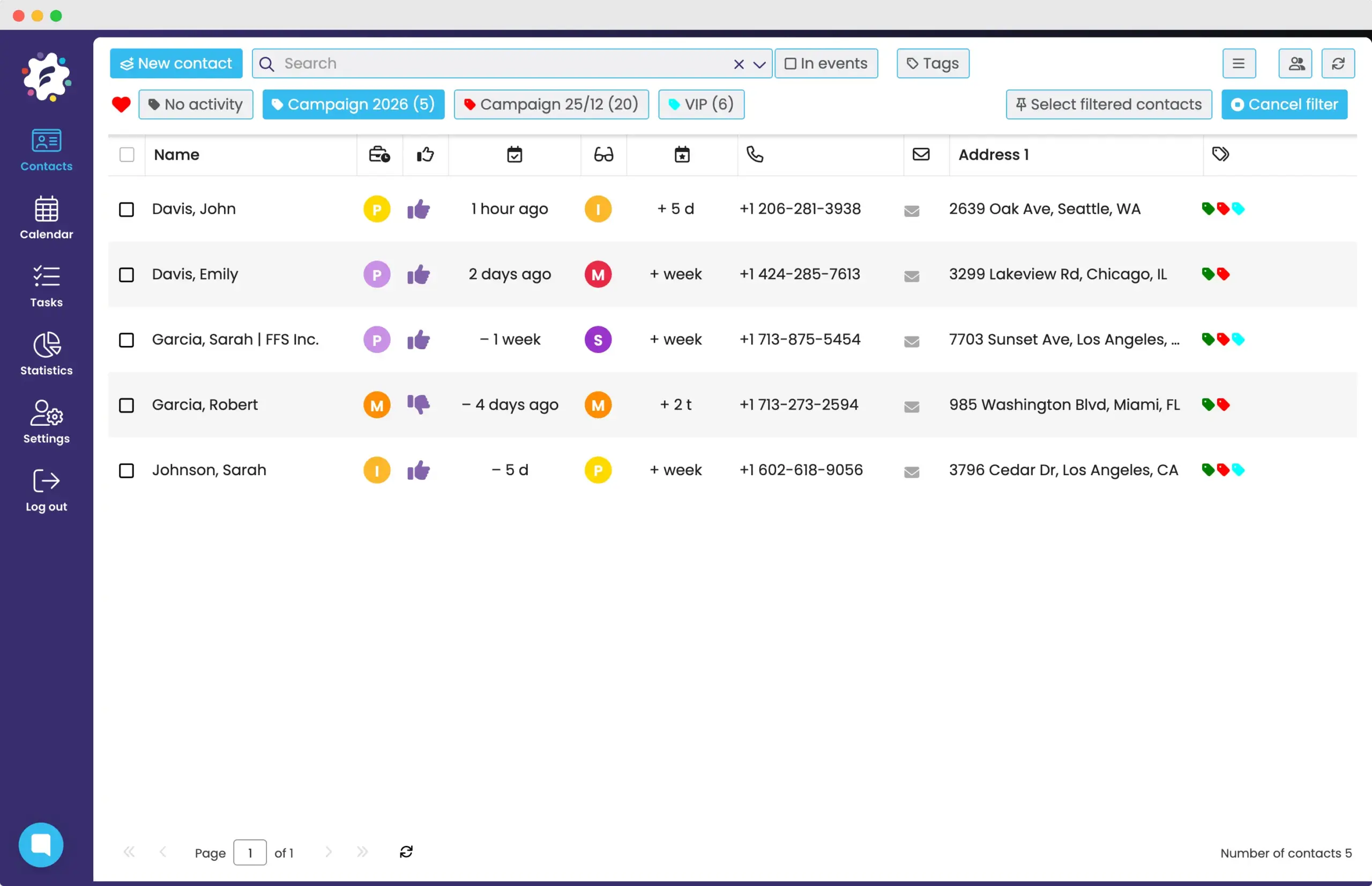
As part of the campaign implementation, you also have the option in the mobile application to “call” specific contacts from a list of specific tags.
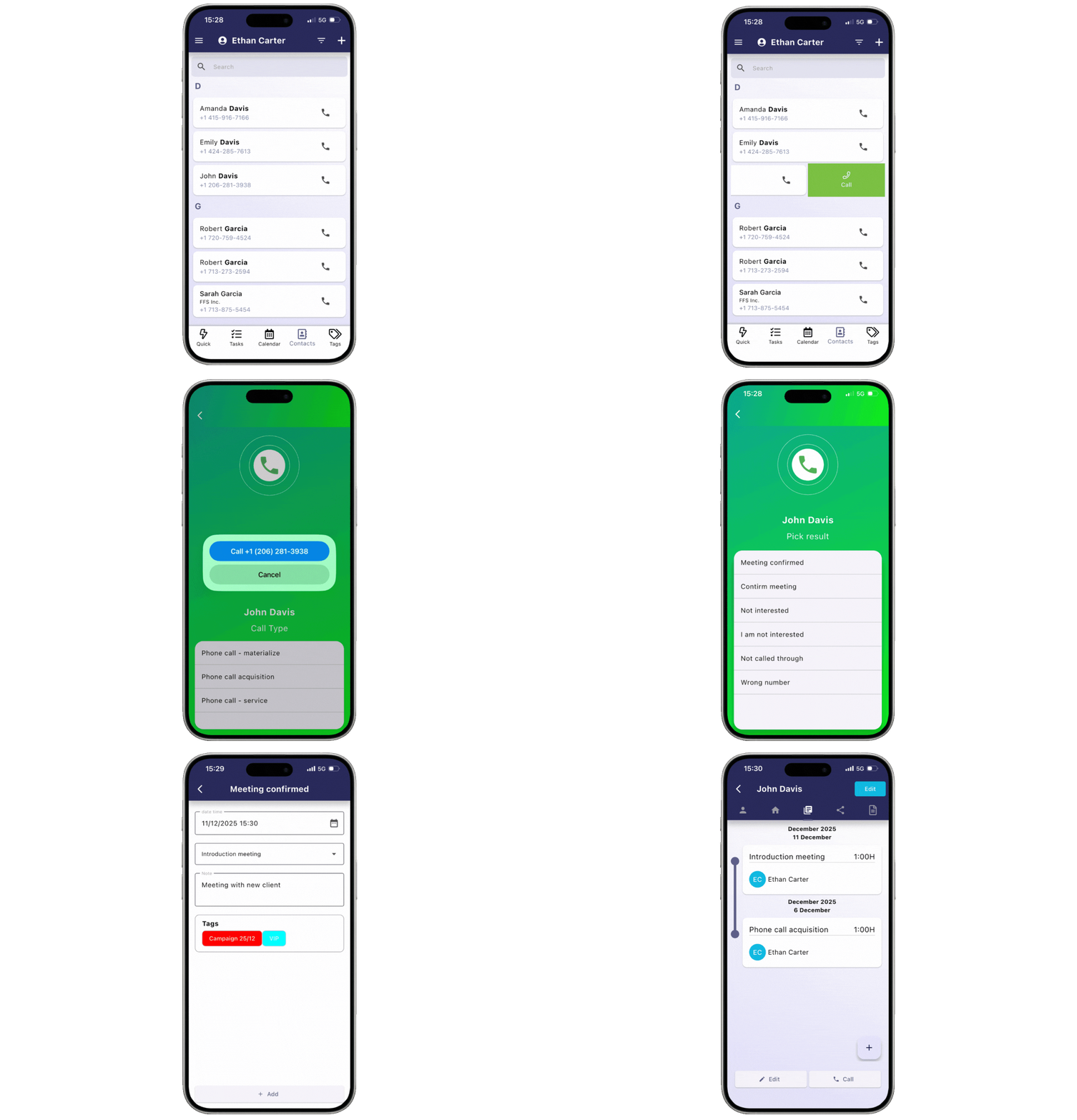
Calling from the application = automatic recording of calls and their results.
With the FreshFlow mobile app, it is possible to automatically record completed calls and their results.
The application lets you choose which activity it is, then you call the client and then after the call, you just record the result, any notes, and the follow-up.
There is no need to think about the fact that you still need to record the completed phone call – the FreshFlow mobile app does it automatically and immediately for you.
How else can FreshFlow help you?
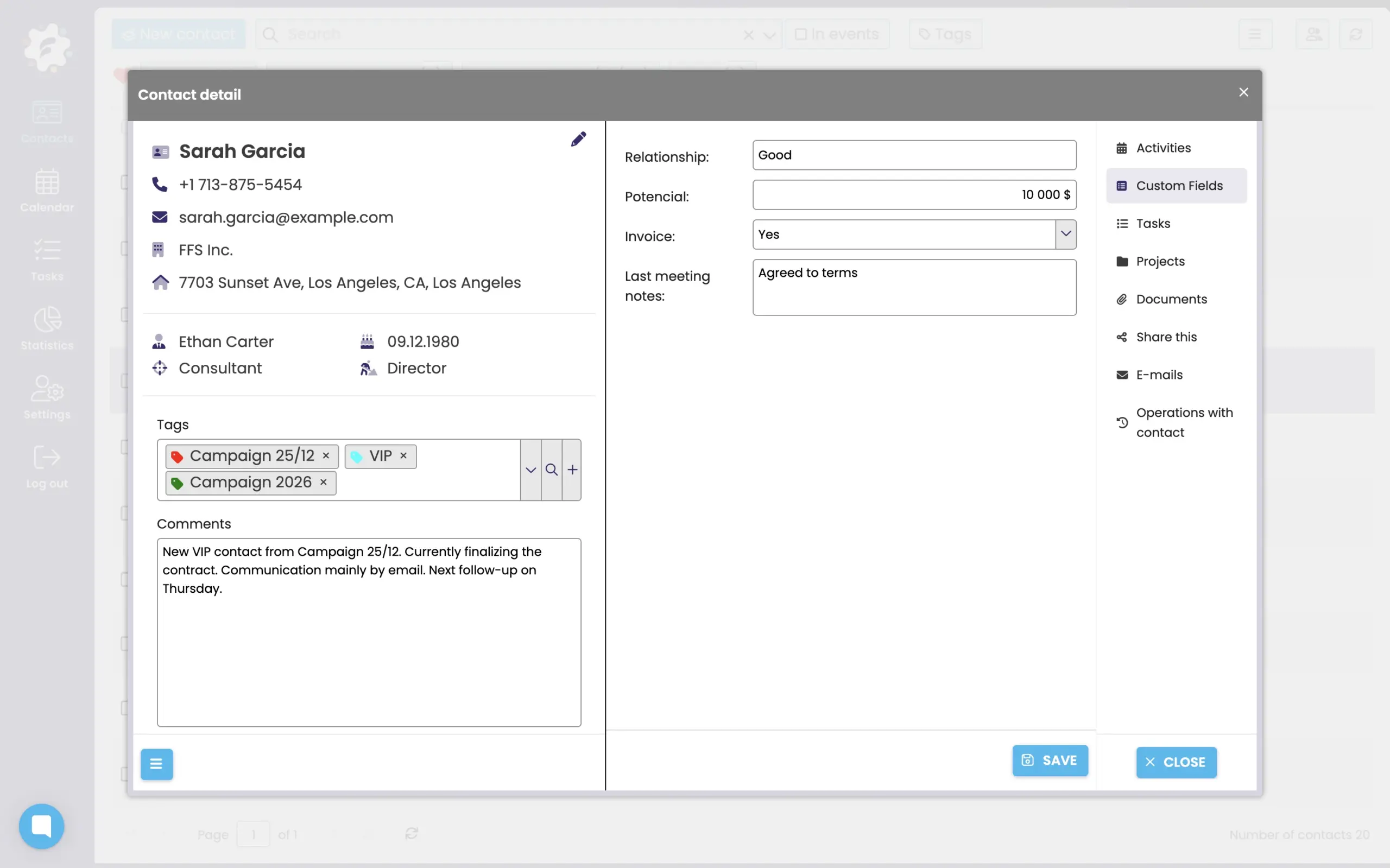
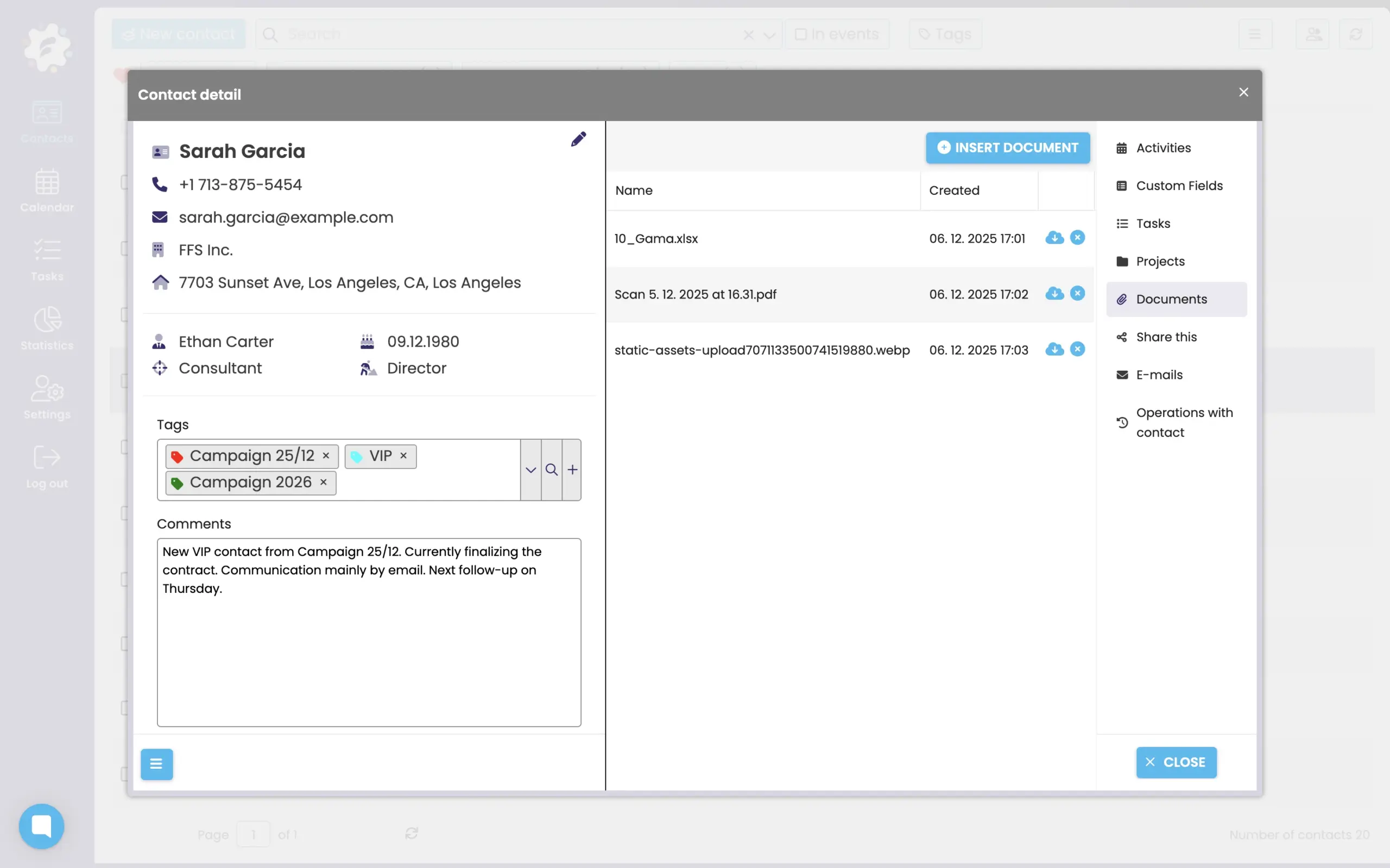
Option to insert your own fields in the contact card
Each team needs to record slightly different information. In FreshFlow, you can customize the contact card according to your own needs – using your own fields, you can add exactly what is key for you.
You can keep track of the preferred method of contact, the number of contracts, the potential estimate, or the frequency of communication. Thanks to the different types of fields, you have complete freedom over what you save to the contact.
Files for contacts together
Do you want to quickly view contracts or other documents related to the client or the activity?
Insert and scan documents, photos, or even videos to contacts.
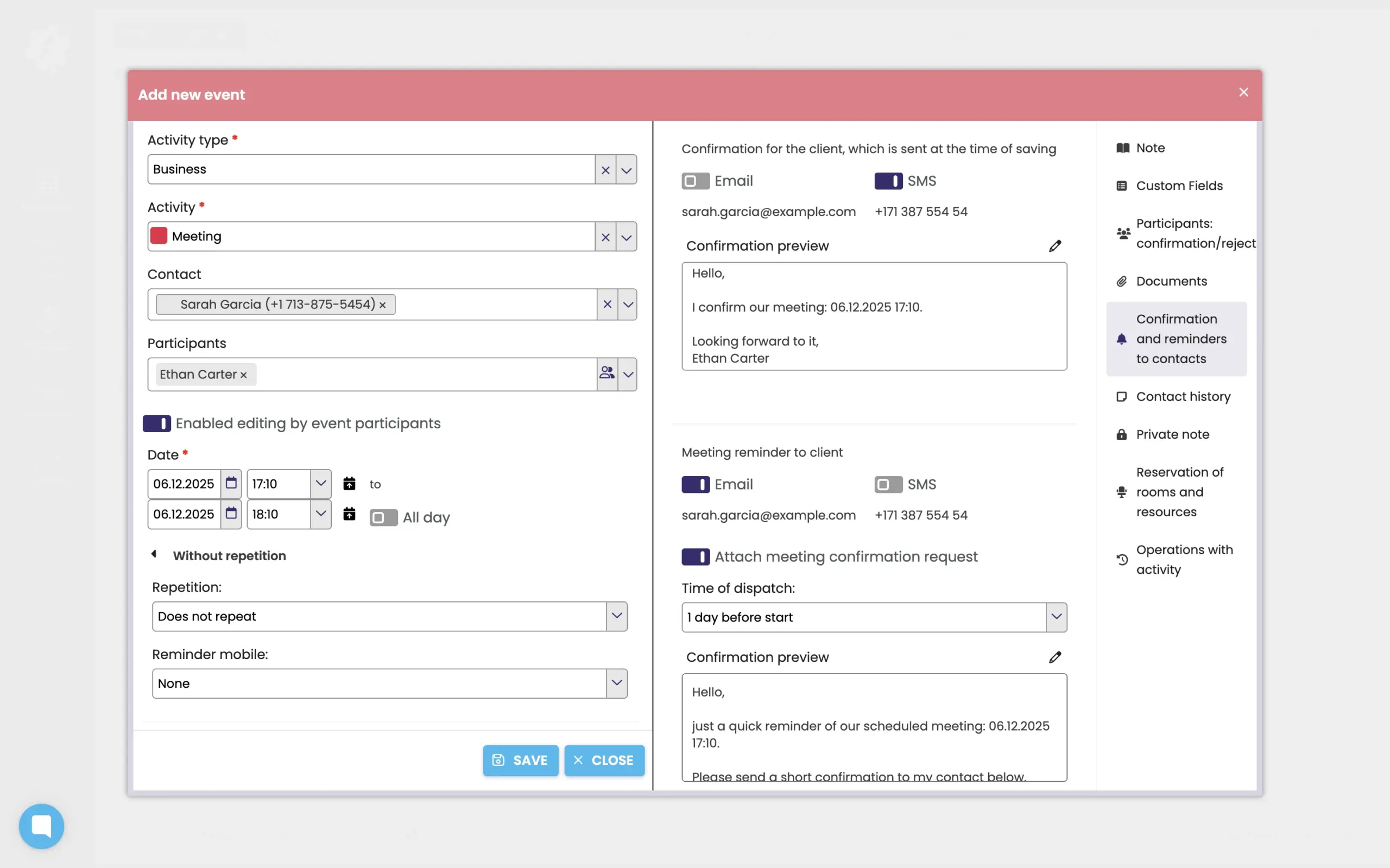
Reminders and confirmations to contacts
You can send confirmations or reminders of an upcoming activity to your contacts in FreshFlow.
You can choose from SMS or email confirmation/reminder and you also have the option to choose your own text.
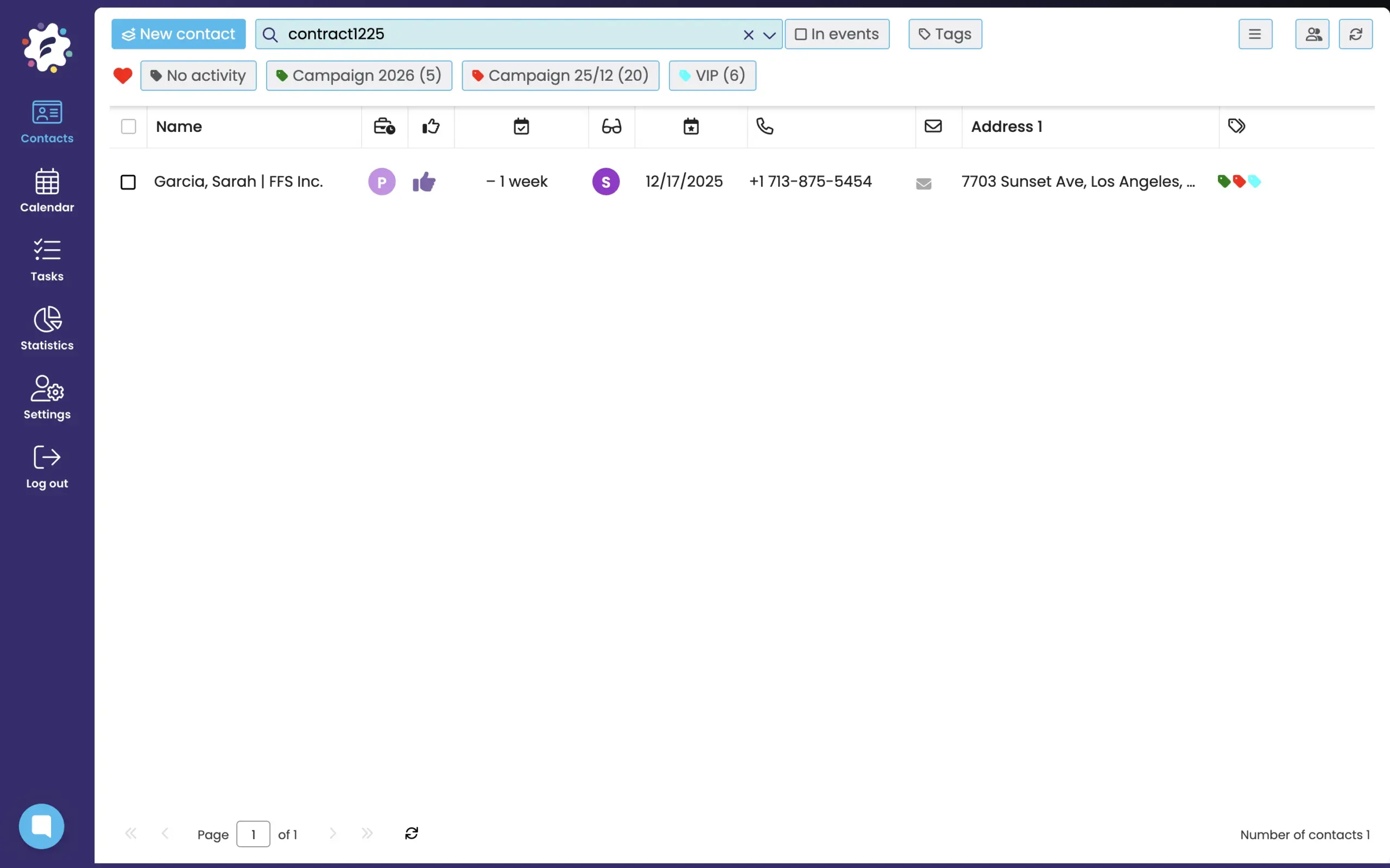
Easy search
Thanks to the full-text search, you can easily and quickly display everything you need. For example, all contacts with the keyword “contract.”
You can also add your own comments to contacts, which can also be searched for later.

Borrowing, sharing, and transferring contacts. Simply and quickly
In FreshFlow, you can easily share your contacts and their recorded client relationships with colleagues from the team temporarily or permanently transfer them for management – depending on what you currently need:
Temporary transfer (“borrowing”) means that only the person to whom you temporarily transfer (“borrow”) the contacts and information will see and manage them for a certain period of time.
Sharing allows both of you to access the contacts simultaneously for a given period of time.
Transfer represents a permanent transfer of contacts for management.
Discover the benefits of distinguishing activity types and results
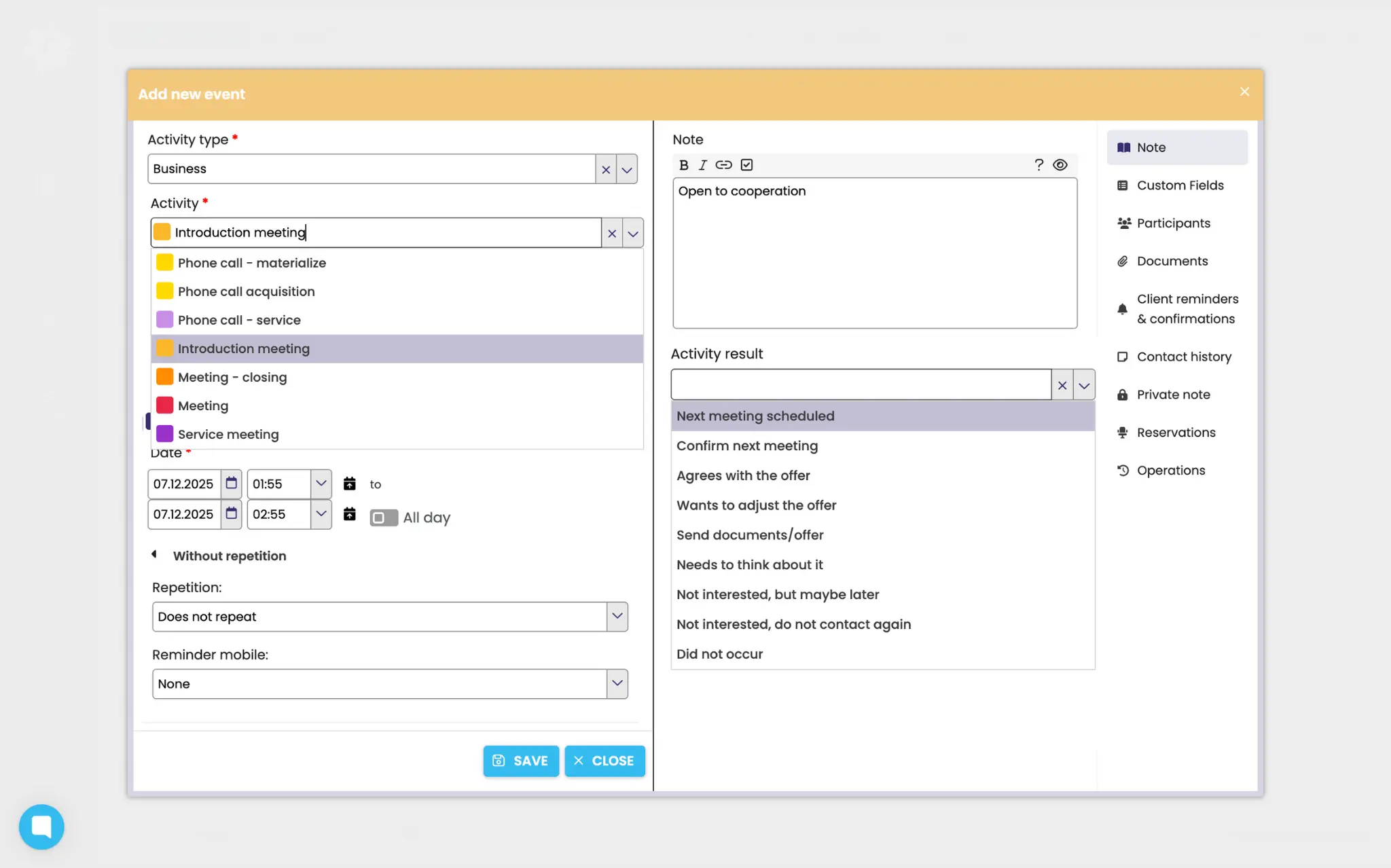
FreshFlow specifically distinguishes what types of activities are taking place and what their results are. Everyone can set the types of activities and their results exactly according to the regularly performed activities in their business.
You have a clear overview of the work and results, whether yours or, for example, the salespeople in your team. You get an overview not only in the calendar, but also in the client’s card among the history of client activities.
Working with pre-set activities and results also automatically generates valuable data (statistics) – simply by entering the business activities themselves into the FreshFlow (calendar).

Real-time activity analysis without effort
By entering pre-set client activities and results, you allow the FreshFlow system to not only store this data, but also to effectively sort and evaluate it.
You can evaluate according to the number of specific activities, their structure of results, or according to people and for any time periods. It is also possible to evaluate data for specific campaigns as a whole using tags.
There is no need to count or write down business activities retrospectively – FreshFlow tracks them “on the fly” and without extra effort. Just enter activities into the FreshFlow calendar or use our mobile application.
Proven solution for client campaigns
Thanks to the combination of automatic recording of activities, their results and follow-up activities with the possibility of analyzing the performance of the entire team, FreshFlow is a suitable and proven solution for managing client campaigns.
Salespeople who carry out business campaigns will have a clear overview of all activities, clients, or leads within the campaign. By simply entering activities into the calendar or calling from the mobile application.
Thanks to the possibility of filtering statistics for individual campaigns, managers in turn gain a tool for “live” evaluation – from the number of approaches to the resulting effectiveness of each salesperson and the entire campaign.
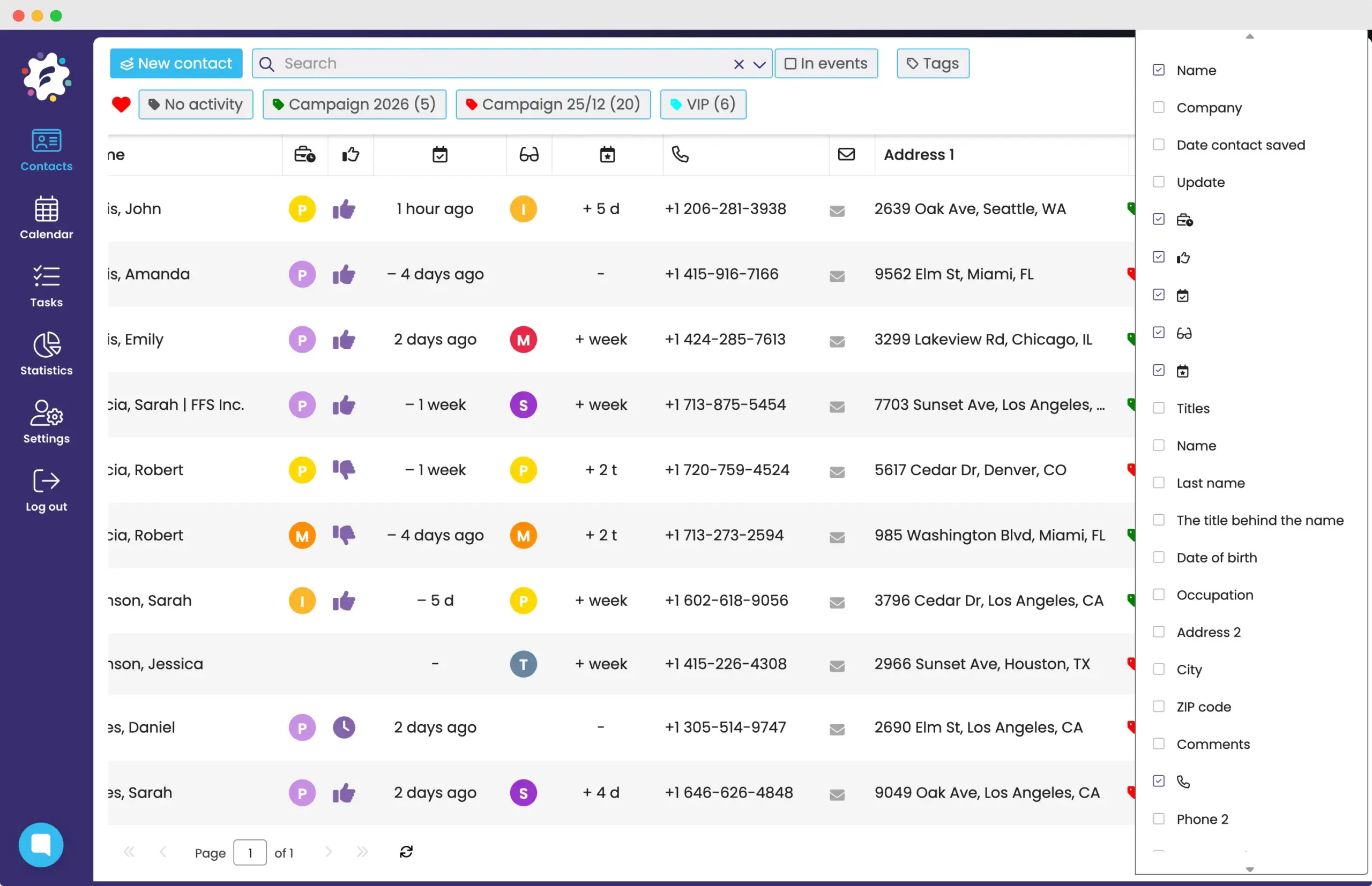
Various options for customizing your database
You can customize the overview of your FreshFlow client database exactly so that the overview suits your daily work.
You can customize the displayed data and you can also display your own, self-defined, fields in the contact overview (for example, satisfaction, deal value..)
You can also customize the order of columns or the size of columns. You can also set the visibility of your own fields that you set for your work.
What do those who know FreshFlow say?
“We actively used FreshFlow in our acquisition campaign, where it proved to be a powerful tool in managing our sales network.”

“The added value of Partners Office (a personalized version of FreshFlow in Partners) in contact management is huge. Anyone who is serious about building a company and business should take advantage of it.
Proper time management is one of the keys to success. As the saying goes, people don’t plan to go broke, they go broke planning. Partners Office gives me the opportunity to get into the bowels of the company and have control over the effectiveness of my associates.
I consider both of these functionalities to be absolutely essential and I use them very often.”

“We found FreshFlow to be a very effective activity management tool and interactive feedback across the entire sales team.
That is why we decided to implement it across the entire Tribal business network of Allianz pojišt’ovna, a.s.”

Get started with FreshFlow today!
Free for 30 days
Without entering a credit card


